
This post is sponsored by Printique!
I have always been “snap happy” taking photos. The more the merrier. Burst mode please. Every angle is great! Horizontal, vertical, portrait! iPhone photos and digital cameras. I’ve been like this for as long as I can remember. (I brought a cool 3 megapixel camera with me on a field trip to Italy in middle school and remember how frustrating it was to fill up the memory card so fast!) But as phone storage has increased and the ability to snap so many photos has gotten easier, my organization of digital photos has become extremely necessary. And after having a baby? Well now it’s my Mount Everest.
I have a whole system for organizing my digital photos though and wanted to share some of my tips in this post, which is brought to you by Printique. (If you remember, I am Printique’s #1 fan!!!!)
ONE // Organize digital photos from phone
More than anything, organizing photos from your phone can seem so, so daunting. If you’re starting from scratch, the trick is two-fold. First, like any habit, you need to commit to a strategy starting now. I’ll share my strategy below, but you may have a different system that works best for you. Second, take a bite-sized approach at organizing photos from the past.
On the first of every month, I go through all of the previous month’s photos and “favorite” the ones that are truly favorites. I even have this on my calendar as a recurring event. If I have 100 photos of Jack trying a food for the first time, I pick out one maybe two that make the cut. (I read an article about someone who does this professionally for other families and she thinks of it as finding “iconic” photos so I adopted this mindset.) Which photos are most “iconic” for the month. I try not to exceed 30 for each month (which is essentially one per day).
I favorite the 30 raw photos and edit ALL 30 (crop, straighten, adjust exposure, sharpen) and AirDrop those 60 (the 30 raw + 30 edited) photos to my computer so I can save on my hard drive. I repeat this every month, so I can stay on top of it!
Looking backward, I use my camera roll’s search function to clean up previous years’ photos. I have SO many photos I love and also…. a lot of junk. Once a day, I search the date in my camera roll which pulls up all photos and screenshots taken on that date for every year since I’ve had my iPhone. I then go through and delete screenshots I don’t want anymore, erase duplicate photos, cull down burst mode photos, and keep only the favorites, etc. This is a much, much more manageable way to tackle the giant project of organization.*
* This gets so much easier as more time passes… so I give myself grace on not deleting too many photos from the previous year and figure I’ll be more discerning next year when I tackle the day again!
TWO // Organize digital photos from camera
Honestly maybe not the answer you want to hear, but the trick for this is to create your system and stick to it! For me, this means editing photos immediately and organizing them as I shoot them. I don’t bring out my camera every day, but at least once a week I take photos that need to be edited and organized. I’m diligent about my work ones (since they’re usually involving deadlines), but for personal photos, well, I can get lazy. I regret being lazy every time. I remind myself how much easier it is to handle and take care of digital photos as they occur versus letting things get wild and crazy.
Here’s how I organize my hard drive for personal photos:
I create folders for every year and then a folder per month within the year. Inside of the monthly folders, I have a folder with RAW files and a folder with EDITED files. I keep every RAW file just in case, but the edited folder only has contains the edited photos I deem worthy of editing/storing/keeping.
I also have a master folder of “Favorites” which to me is like a digital photo album of the very best of the best edited photos. Think: iconic.
THREE // Printique
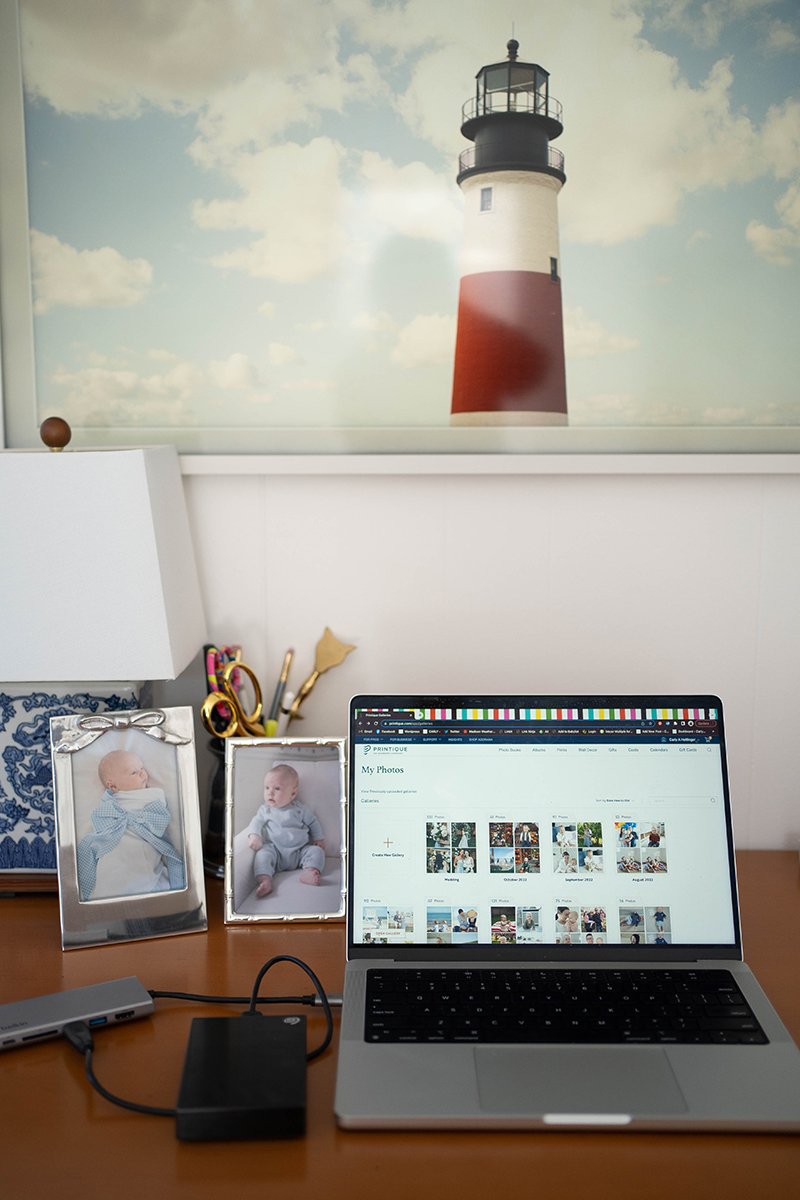
In addition to my hard drive, I also create albums on Printique so I can have easy access to my favorite photos (digital and iPhone) for printing. This makes my life so much easier when I want to print a photo, I don’t have to worry about my hard drive or hunting down the folder… it’s all right there within Printique. And as long as you have an active account, Printique can help you save your most precious memories Unlimited photo storage at no cost. Just like the hard drive I organize by month/year and have a folder of favorites and a folder for iPhone favorites too! You can even share the galleries with loved ones.
Because this is where I store photos for printing, I only store edited and ready go photos!
If you want access to your photos on the go, you can download the Printique app (available on Android and iOS). I have been known to access my favorite galleries to print a photo on the fly when I hear a grandparent talk about how much they love a certain picture! The app can also syncs up with your phone automatically if you want a hands off approach.