First, let me just say… I AM SO GLAD I WENT THE iPAD ROUTE. I was debating whether or not I wanted an iPad (versus a lighter laptop), and I definitely made the right choice with the iPad. I had explicitly told my family that I didn’t want anything for Christmas, but my mom insisted and I suggested that if she were to get me something, I was going to buy myself an iPad anyway. Best. Christmas. Gift. Ever. Truly, I think it’s one of the best and most useful things I’ve received (except for a cox box which I received for my eighteenth birthday).
Mom– thank you. I LOVE IT.
I’ve shared some snippets on my Instagram Story about my iPad (I saved a bunch to my highlight if you want to go back and reference that), so I thought I’d walk through how I’m really using it. I imagine I could do an entire series on it. Today I’m going to cover the very basics, including the main reason why I got it.
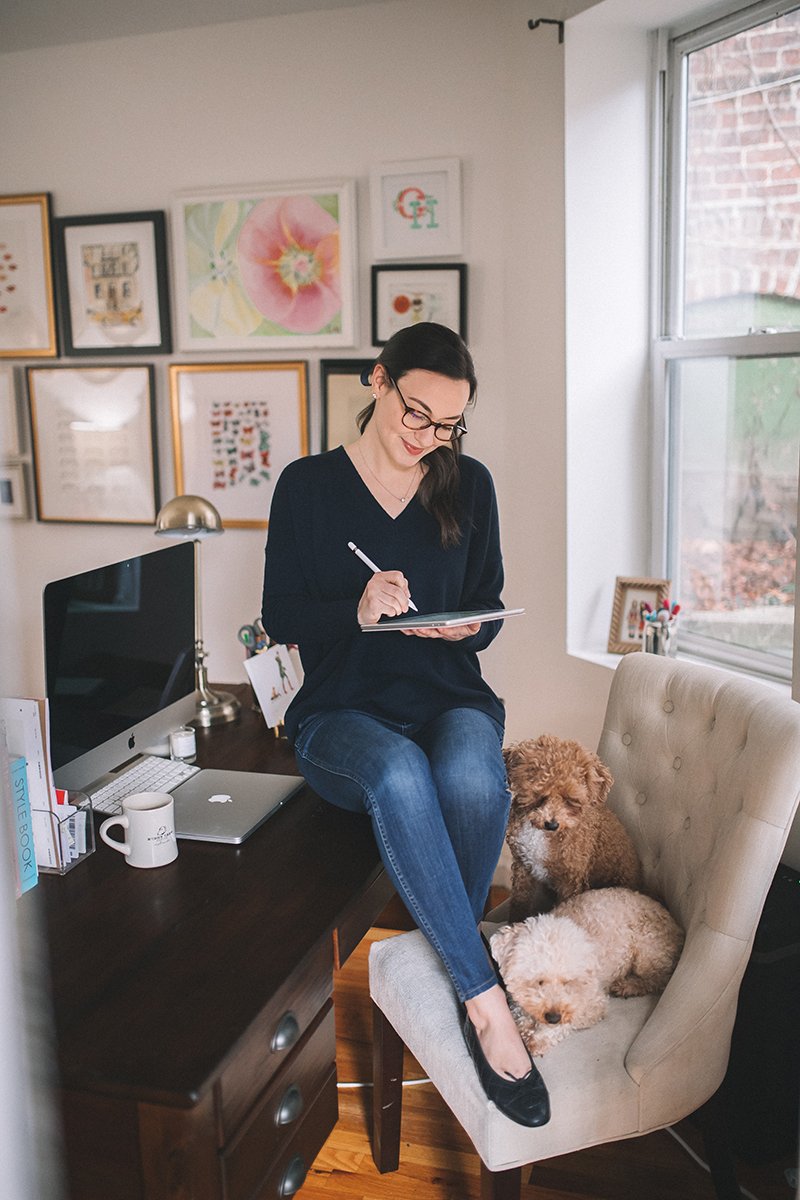
What exactly do I have?
– 9.7 inch iPad (I did not go the pro route because the regular is 1/3 the price and I primarily use my laptop for everyday computer use)
What was the main purpose for getting it?
The main reason I wanted it was so that I could go completely digital with my to-do lists. For reference, here’s how I organize EVERYTHING– everything was digital, except for my daily to-do lists. I had tried Bullet Journaling but I felt paralyzed by the prospect of making mistakes or running out of room or not being ~creative~ enough. (Using a ruler to painstakingly draw grids nearly destroyed me, lol– but more on this later because I have some updated thoughts.) My notebook was all over the place and not quite cohesive, but it got the job done more or less.
I wanted to go digital so I could have even more flexibility with what I did. THIS is the video that really inspired me to make the jump. It’s a very, very addicting rabbit hole watching these “How I Take Notes” videos. Highly recommend getting started there if you’re looking for even more inspiration, especially if you’re a student of some kind. (I’m keeping things VERY basic in this post.)
So far, what apps have been my favorite?
GoodNotes and Procreate have been the apps I use the most.
Because GoodNotes is my new notebook substitute, I have that open pretty much all day. If I’m sitting at my desk, I reference that a few times an hour to make sure I’m staying on track. I’m in the habit now of spending a few minutes every evening jotting down what I have to do the next day and a few minutes every morning reviewing what I have for the day and making sure nothing falls through the cracks.
Procreate is more fun for me, but the options are seemingly limitless. It’s basically an app that mimics all kinds of art. From oil painting to sketching to calligraphy, you can do it ALL in Procreate. This is another rabbit hole you could fall down– I certainly have the past week or so. It’s a little trickier to get the hang of at first, but after about four days of playing with it and watching Youtube tutorials, things definitely started to “click” for me. I’ll probably have to do a post about this later on its own, but for now, I’ll be sharing my progress on Instagram Stories.
I’ve also been really into the Kindle app– I usually listen to audiobooks with my phone and bring around hard copies of books. But I downloaded the Kindle app and have already read a book on it. Love how simple it is to flip through. It’s not the exact same experience as reading a book, but you can’t beat the convenience. For traveling, this is going to be amazing because you can bring a limitless number of books with you without taking up any more space in your luggage.
The Instagram app, although not native for iPads, has also been in heavy use. It’s SO much easier to respond to DMs with my iPad + Bluetooth keyboard. I usually set it up on my desk with my laptop open next to it so I can grab links on my computer and paste (with Universal Clipboard) onto my iPad. I really, really don’t want to delegate answering my DMs to someone else and this has really streamlined my process. Now I’m able to answer SO many more DMs!!!
Do I need an Apple Pencil?
Do you need anything from Apple in life? Probably not. But does it enhance the iPad experience? 100 percent!!!! I think the Apple Pencil may just be my favorite part. It almost feels like magic. It’s touch sensitive so it’s more responsive than your average stylus– especially when writing, it feels like an actual writing utensil.
///
Because the main reason for getting the iPad was to go digital with my notes, I wanted to focus the second half of this post on GoodNotes. After watching a bunch of reviews on Youtube of notetaking apps, this is the one I went with and I couldn’t be happier. About a month after I started using the app, a new version came out. It was SO simple to transfer all my content over to the new version, which I was also able to download for free because I had previously purchased the older version.
The app is incredibly intuitive and can be used for absolutely anything. Like a traditional notebook, each person can use it however they wish. Doodles, notes, a journal, etc. Unlike a traditional notebook, GoodNotes provides an INSANE amount of flexibility. You can draw, impor photos, move/resize text, highlight with ease. You can switch between paper types within the same notebook– so you can go from ruled to grid and back again with ease.
I wish I had had this in college. With the split screen capabilities, you can have your e-textbook open on one side while you take notes on the other. I could go on forever.
Basically, my notebook is a place where I can capture my tasks for the day/week/month with some long-term goal planning and tracking. I took some inspiration from Bullet Journaling (again more on that), but mostly am just letting things naturally unfold. I’m not worrying about my notebook being pretty or coming up with complicated themes for each week– it’s just a workhorse kind of notebook for me.
I put together a very quick and dirty video tutorial on how it works. There are definitely better videos out there, but if you just want a basic idea of how it works and how I’m making it work for me, then give it a view. (I did a screen capture of my iPad while I did it + a voice over with my iPhone, haha.)
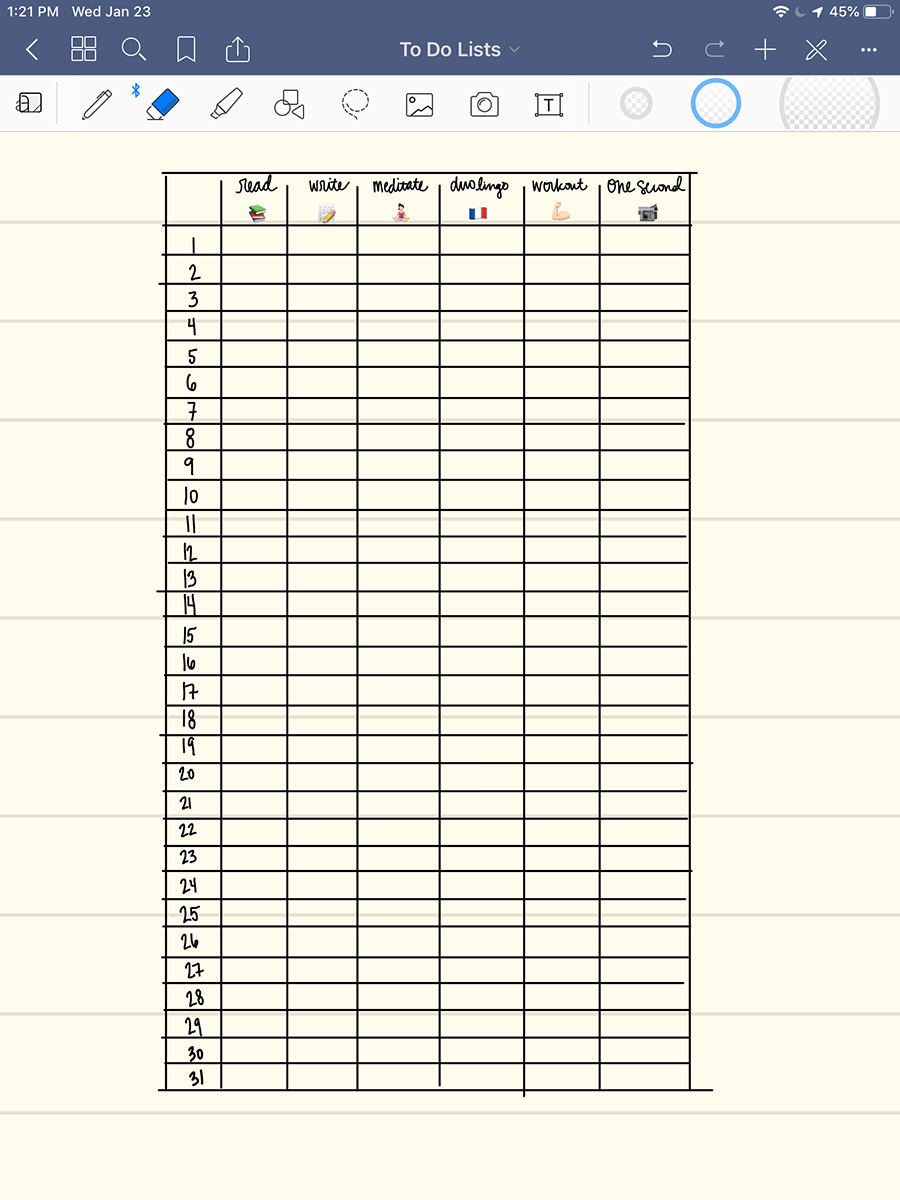
Here are two close-ups of what I’ve been doing. The first is a tracker for all of the daily habits I want to stay on top of. As I mentioned in the video, I made this and copied it (while it was unused) into my Key so I can refer back to it and copy and paste it into each new month.
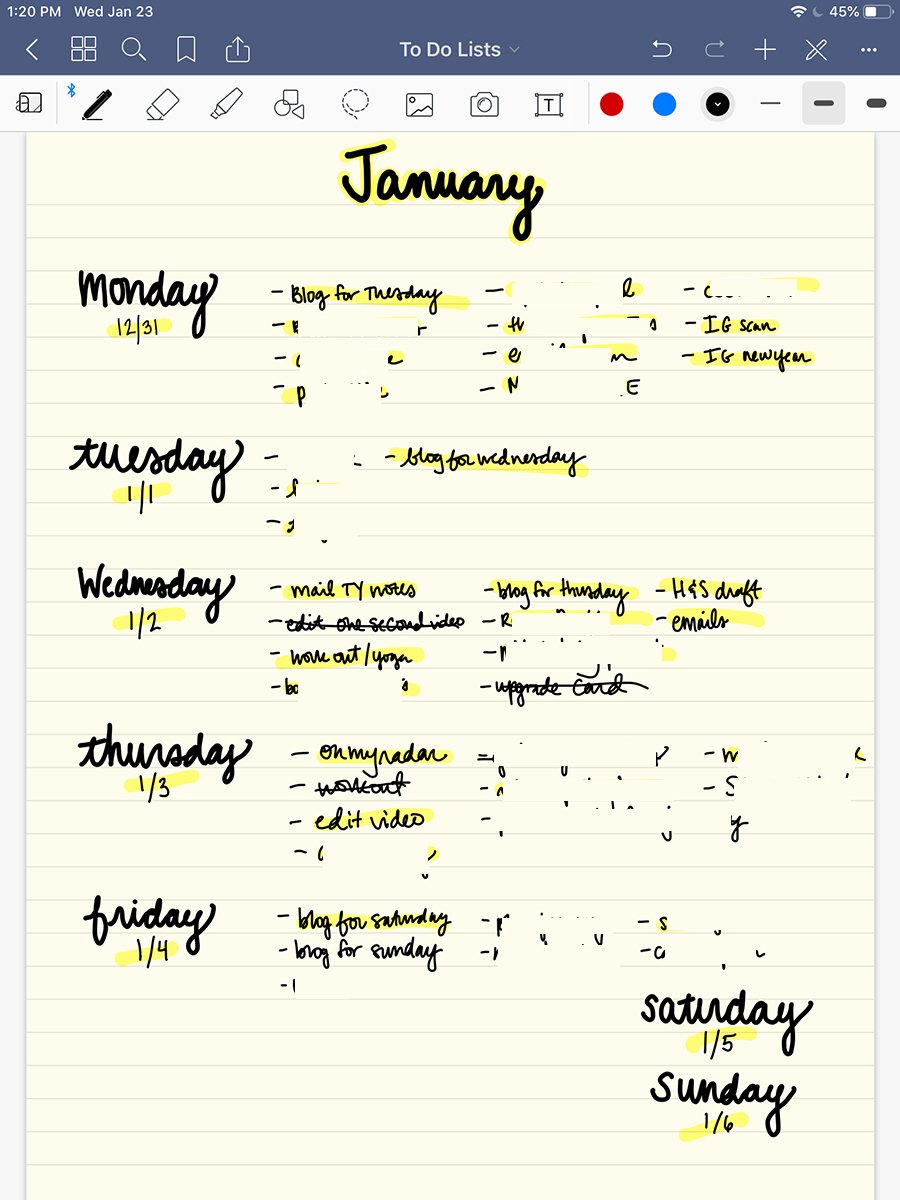
And here’s a close up of how I do my to-do lists. It’s really not complicated at all! (I blurred out most of the tasks for privacy reasons.)
I’ve actually never felt more organized in my life. Every night I go to bed feeling confident in what I did that day, and wake up the next morning feeling energized to tackle the day’s work. It’s not too different than how I used my old notebook, but the increased flexibility has allowed me to truly maximize the notebook’s capabilities for exactly what I need them to be.